

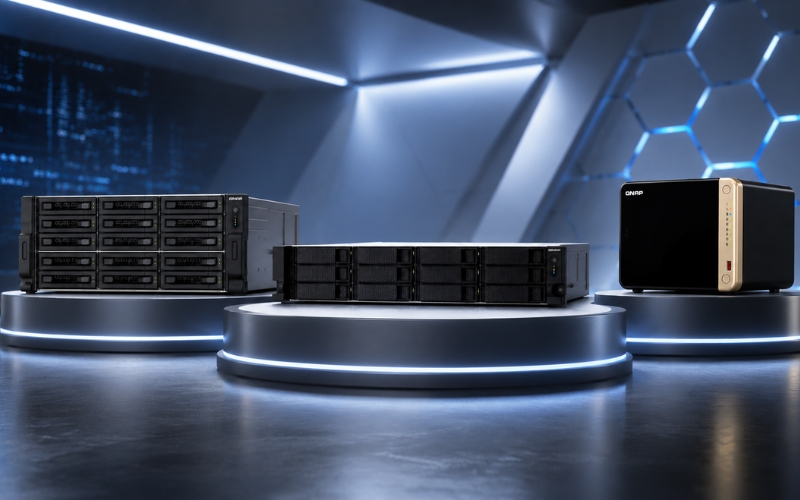
QNAP NAS vs Traditional Storage: Which Is Better for Businesses?
Businesses today generate enormous amounts of digital data. Managing this data efficiently is critical for productivity, collaboration, and long-term growth. Many companies still rely on traditional storage methods such as external hard drives, USB storage, and local servers. However, these systems often fail to meet modern business requirements.
This is why businesses are increasingly moving toward QNAP NAS Storage solutions. NAS Storage systems offer centralized management, scalability, remote accessibility, and enhanced data security compared to conventional storage methods.
Organizations looking for Buy NAS India solutions are recognizing the advantages of QNAP NAS Servers over traditional storage infrastructure.
What Is Traditional Storage?
Traditional storage typically includes:
- External hard drives
- USB storage devices
- Desktop hard drives
- Direct Attached Storage (DAS)
- Local computer storage
These systems store files locally and are usually connected directly to individual computers.
While traditional storage may appear affordable initially, it creates limitations as businesses expand.
Limitations of Traditional Storage
Limited Accessibility
Traditional storage devices are usually accessible only from the connected system. Employees cannot easily share files across departments or remote locations.
Lack of Centralized Management
Managing files stored across multiple systems creates confusion and increases duplication.
Higher Risk of Data Loss
External hard drives are vulnerable to accidental damage, theft, hardware failure, and malware attacks.
Poor Scalability
As storage needs increase, businesses must buy additional drives or replace old systems.
What Makes QNAP NAS Storage Different?
QNAP NAS Storage is a centralized Network Attached Storage solution that connects directly to a network.
A NAS Storage Device allows multiple users and devices to access files simultaneously while maintaining high security.
Businesses using NAS Network Storage can manage files more efficiently and improve collaboration across teams.
Benefits of QNAP NAS Over Traditional Storage
Centralized File Storage
QNAP NAS Servers store all business files in a single secure location. Employees can easily access and manage data from multiple devices.
Advanced Backup Features
Unlike traditional storage, QNAP NAS Storage supports:
- Automated backup
- Snapshot recovery
- Cloud synchronization
- Remote backup
- RAID protection
These features significantly reduce the risk of data loss.
Better Security
Traditional storage lacks enterprise-level security.
QNAP NAS offers:
- AES encryption
- Multi-user authentication
- Access permissions
- Ransomware protection
- Secure remote access
Scalability
Businesses can easily expand NAS Storage by adding additional drives or expansion units.
Remote Accessibility
Remote teams can securely access business files through NAS Servers from anywhere.
Performance Comparison
Traditional hard drives may slow down when handling large workloads.
QNAP NAS solutions support:
- NVMe SSD caching
- 10GbE networking
- SSD Network Attached Storage
- Enterprise HDD support
These technologies improve speed and workflow efficiency.
Cost Efficiency
Although NAS Servers may require a higher initial investment, they provide long-term savings through:
- Reduced downtime
- Better backup management
- Lower maintenance costs
- Centralized storage management
Which Businesses Should Choose NAS?
QNAP NAS is suitable for:
- Small businesses
- Enterprises
- Creative agencies
- Educational institutions
- Healthcare organizations
- IT companies
Conclusion
QNAP NAS Storage clearly outperforms traditional storage systems in terms of security, scalability, accessibility, and performance.
Businesses investing in NAS Storage Devices gain better control over their data while improving collaboration and operational efficiency.
FAQs
1. Is NAS better than traditional storage?
Yes, NAS provides centralized storage, scalability, and better security.
2. Can QNAP NAS replace local servers?
Yes, QNAP NAS can handle many server-related storage functions.
3. Is NAS Storage secure?
Yes, NAS systems offer encryption, backup, and user authentication.
4. Can employees access NAS remotely?
Yes, QNAP NAS supports secure remote accessibility.
5. Why are businesses shifting to NAS Servers?
Businesses prefer NAS because of scalability, performance, and centralized management.